The Cold Email First Line That Actually Gets Replies
Unlock higher response rates with proven cold email first lines that reference specific events. Learn how to craft effective openers now!

The Cold Email First Line That Actually Gets Replies
The highest-performing cold email opener is an intent trigger: a first line that names a specific, recent, verifiable event about the recipient’s company, not the recipient’s job title or industry. Practitioners running this pattern against genuine trigger events (funding rounds, executive hires, product launches) have documented reply rates in the 18 to 22% range, against a category average closer to 1 to 2%.
Here’s a usable version: “Saw [Company] closed its Series B last week, congrats. Curious how that changes your hiring plan for the next two quarters.”
Before you write another opener, lock in these rules:
- Keep the opener itself to 15 to 20 words
- Cap the full email around 80 words, well inside the 50 to 125 word range that outperforms longer pitches
- Remember your subject line and preview text get read before this sentence does, so they need to earn the click first
Key Takeaways
Intent-trigger openers built on verifiable, recent signals consistently outperform generic personalization, and pairing them with a sub-80-word email and a tight pre-send checklist is what turns a good opener into a reply.
| Point | Details |
|---|---|
| Lead with intent triggers | Reference a specific, recent event (funding, hire, launch) inside a 90-day window for the strongest reply lift. |
| Keep it short | Cap the opener at 15 to 20 words and the full email around 80 words. |
| Verify before you personalize | Confirm mutuals and claims through a public interaction before naming anyone in an opener. |
| Test on reply rate, not opens | Run three opener variants per segment and measure reply-rate lift over two to three weeks. |
| Automate the research grind | LeadPilot detects prospect signals, drafts personalized openers from them, and manages follow-up and deliverability at scale. |
Table of Contents
- Proven Cold Email Opener Frameworks and When to Use Them
- First-Line Templates by Persona and Trigger
- How to Research and Personalize First Lines Without Burning Your Week
- Opener Mistakes That Kill Replies (and a Pre-Write Checklist)
- How to Test Opener Performance the Right Way
- How LeadPilot Puts This Playbook Into Production
- Follow-Up Opener Guidance
- Build Your First Opener Campaign Before You Write Another Line
- Sources
Proven Cold Email Opener Frameworks and When to Use Them
Every high-performing cold email opener falls into one of six patterns. Pick the wrong one for your situation and even a well-written line falls flat. Here’s how to match the pattern to the moment.
-
Intent trigger. This opener references something that just happened, a funding round, a new VP, a product launch, and ties it directly to a reason the recipient might care right now. Recency is the whole mechanism. A trigger event from 18 months ago reads as stale research, not a live signal. Keep the window tight: 90 days or less for company news, and the reply-rate lift documented by Cold Email Manifesto mostly comes from events inside that window. Example: “Noticed you just posted three open AE roles, usually means the SDR team is about to get slammed with handoffs.”
-
Specific observation. This one works when there’s no clean trigger event but you’ve genuinely looked at something concrete, a pricing page change, a shift in their tech stack, a new integration listed on their site. The threshold for “specific” is simple: could this sentence apply to exactly one company, or could you paste it into 500 emails without anyone noticing? If it’s the latter, it’s not specific enough. Example: “Your careers page lists five open roles tagged ‘remote first’, that’s a new filter I hadn’t seen on your site before this month.”
-
BLUF (bottom line up front). Structure: result, proof, ask, in that order, inside the first two sentences. This skips the setup entirely and works best with a warm-ish audience or a very tight ICP where the value proposition doesn’t need context. Example: “We cut outbound research time by 70% for three companies in your space last quarter. Worth a 15-minute look?” Don’t use this pattern cold into an executive who has never heard of you. It reads as aggressive without a trigger to soften it.
-
Direct question. A well-designed question opener does one thing: it makes the recipient’s brain start answering before they decide whether to keep reading. The mechanics matter here, a yes/no question gets ignored, but a question implying the reader already has an opinion tends to pull a reply. Example: “Is lead research still eating a full day of your SDRs’ week, or have you already automated that piece?”
-
Mutual reference and content anchor. Naming a mutual connection can multiply reply rates 3 to 5 times over baseline, but only when that connection is real and verifiable. The same goes for referencing something someone wrote or posted. The risk here is bigger than a weak opener: claiming a mutual who barely knows you, or misquoting a LinkedIn post, torches your credibility permanently. Verify through a public interaction, a comment, a shared event, an explicit mention, before you name anyone.
-
Offer hook vs. value hook. These two get confused constantly. An offer hook leads with something tangible you’re giving away, a paid pilot, a free audit, a gift card for a call, and works best in early-stage ICP validation when you’re still testing whether your message resonates. A value hook leads with a proof point you already know lands, a metric, a case result, and works once your messaging is dialed in and you don’t need to bribe attention.
Pro Tip: Run one opener framework per campaign, not a blend. Mixing intent-trigger and BLUF patterns inside the same sequence makes it impossible to tell which structure actually drove the reply.
First-Line Templates by Persona and Trigger
Different buyers respond to different signals. A founder cares about funding and headcount moves. A marketing leader cares about campaigns and content. Match the template to the role, then swap in the specific detail.
Founder and CEO templates:
- “Congrats on the [funding round] news, curious if that changes your go-to-market timeline for [region/product].”
- “Saw you just brought on a VP of Sales, usually the first 90 days come with a pipeline gap while the new hire ramps.”
- “Your last product launch post got more traction than your usual updates, was that intentional positioning or a happy accident?”
Marketing leader templates:
- “Noticed your team shipped a new content series on [topic] last month, is that tied to a pipeline goal or a brand play?”
- “Your careers page has an open Demand Gen Manager role, usually means the current team is stretched thin on campaign volume.”
- “Saw the webinar registration push on your site this week, curious what the follow-up sequence looks like after signup.”
Product and engineering templates:
- “Read your engineering blog post on the [specific infrastructure] migration, that’s a heavier lift than most teams your size take on.”
- “Saw you’re hiring for a platform engineer with Kubernetes experience, guessing that’s tied to the scaling issues you mentioned at [event/podcast].”
Mutual and referral templates:
- “[Mutual contact] mentioned you’re rethinking your outbound stack this quarter, wanted to reach out directly before assuming anything.”
- P.S. micro-variant: add a one-line P.S. referencing a specific detail (“P.S. also saw your team’s post about the SOC 2 audit, that timing lines up well with what we’re discussing.”)
Pro Tip: Test every template on a phone before sending. Mobile preview panes cut off around 40 to 60 characters, so if your specific detail lands after that point, it never gets seen before the recipient decides to open or delete.
Every template above stays under the 20-word opener ceiling once you drop in the real detail, and none of them require more than a five-minute look at the prospect’s site, LinkedIn, or recent posts to fill in.
How to Research and Personalize First Lines Without Burning Your Week
Personalization at scale fails for one reason: teams try to hand-write every line from scratch instead of building a repeatable research pass. Here’s the workflow that actually holds up across volume.
- Prioritize signals by recency. Company events (funding, hires, launches) lose their punch after 90 days. Content references (blog posts, podcast appearances, LinkedIn posts) stay usable for up to 12 months, but the fresher the better.
- Check the same four sources every time. Company site (careers page, blog, recent press), LinkedIn (recent posts, job changes), X/Twitter (recent activity), and job boards (open roles signal internal priorities). Five minutes per prospect, same order, every time.
- Build semi-personal templates at the persona level. Instead of writing 200 unique openers, write five templates per persona with one variable slot for the specific detail. This is the personalization workflow that scales without collapsing into generic filler.
- Use AI drafts, then apply human QA. Let a draft tool suggest the sentence structure; a human confirms the fact is accurate and current before it ships. Review a sample of at least 10% of any AI-assisted batch before sending.
Before anything goes out, run the verification checklist:
- Never claim a fact you can’t point to a source for
- Name a mutual connection only if you’ve confirmed the relationship through a public interaction
- Recheck the event date, stale triggers read worse than no trigger at all
The biggest operational risk at scale isn’t laziness, it’s templated leaks: the same sentence structure showing up across dozens of “personalized” emails to the same company. Rotate your variable slots and sentence openers across a batch so nobody on the receiving end compares notes and spots the pattern.
Opener Mistakes That Kill Replies (and a Pre-Write Checklist)
Certain phrases now function as instant delete triggers because recipients have seen them thousands of times. “Hope this finds you well,” “I noticed your profile,” and “I am reaching out because” all read as template fingerprints, and reply rates on generic personalization openers have been declining as recipients get faster at spotting them.
Run every opener through this checklist before it ships:
- Is this line unique to this one company, or could it apply to 500 others?
- Can I point to the exact source for this claim?
- Is the referenced event or post inside the recency window?
- Does the opener stay inside 20 words?
- Does the claim tell the truth, no invented mutuals, no inflated numbers?
Pro Tip: Failing: “I noticed your company is growing fast.” Fixed: “Your headcount jumped from 40 to 65 on LinkedIn this quarter, that’s the kind of growth that usually breaks onboarding processes.” The pre-send checklist format above catches most of these before they go out.
How to Test Opener Performance the Right Way
Open rates are close to meaningless now that most inboxes preview content automatically. Reply rate is the metric that tells you whether the opener actually worked, alongside read-to-end (or pass-through) rate and, further downstream, meeting-booked rate.
- Run three opener variants per ICP segment at a time, holding subject line and send time constant, then measure reply-rate lift over a two to three week window
- Test subject lines against reply rate too, not open rate, private-message-style lines like “quick question” tend to outperform marketing-style headlines on that metric
- Track follow-up opener lift separately from the first-touch opener, a follow-up that adds a new proof point outperforms a plain “bumping this to the top of your inbox”
- Give any variant test a real sample size before calling a winner, a handful of sends per variant tells you nothing
Pairing opener tests with send-time experiments keeps your controls clean instead of letting two variables move at once.
How LeadPilot Puts This Playbook Into Production
Manually running this workflow across hundreds of prospects a week is where most teams stall out. LeadPilot automates the signal detection (funding news, hires, launches, content) that intent-trigger openers depend on, drafts the first line from that real signal, and manages the sending domains and follow-up cadence behind it. Reply-rate testing across opener variants runs inside the same platform, with warm replies routed straight to your team.

Follow-Up Opener Guidance
Your first-touch opener isn’t the only line that matters. Follow-up emails get judged on a different question: did anything new happen since the last message? A follow-up that opens with “just bumping this to the top of your inbox” or “wanted to circle back” adds zero information, and recipients treat it that way.
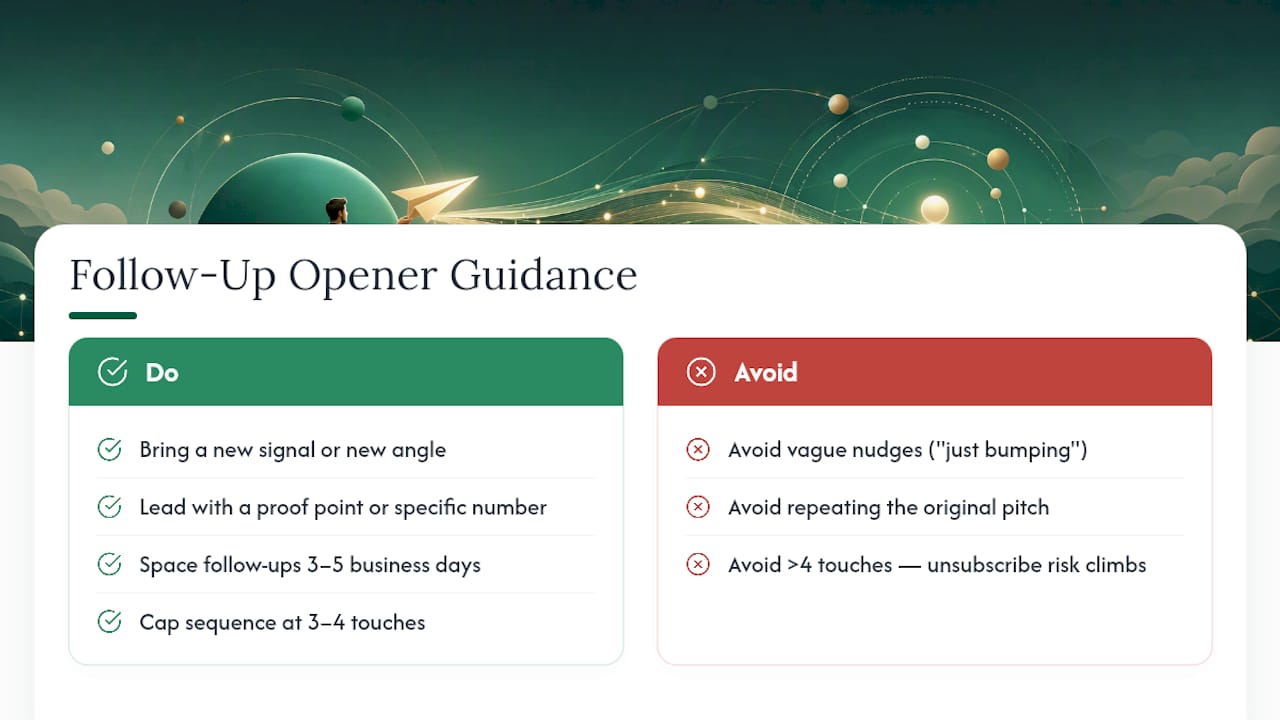
The fix is to bring a new signal or a new angle to every follow-up opener, not a reminder. If the first email referenced a funding round, the follow-up might reference a hire that came out of that funding. If the first email led with a value hook, the second can lead with a proof point the first one didn’t include, a case result, a specific number, a relevant customer name.
Timing matters almost as much as content. Space follow-ups three to five business days apart, and cap a sequence at three to four touches total, more than that and the reply-rate gains flatten out while unsubscribe risk climbs. Treat the second and third emails as separate experiments in their own right; a sequence built around escalating proof points tends to outperform one that just repeats the original pitch in shorter form.
One practical habit: log which follow-up opener style got the reply, new-proof-point, direct question, or short BLUF restatement, so your next sequence starts from data instead of a guess.
A Note on Personalization Effort vs. Volume
Openers only work paired with a real offer. Log every test, guessing wastes more time than research does.
Build Your First Opener Campaign Before You Write Another Line
LeadPilot is the practical shortcut for teams who know this playbook works but don’t have the hours to research 200 prospects a week by hand. It reads your website to figure out your ideal customer profile, finds and researches matching decision-makers, and drafts personalized first lines from the same kind of signals covered above: funding events, hires, launches, recent posts, then handles the sending domains, follow-up cadence, and hands off warm replies to your team.

If you’ve been hand-writing openers one at a time or relying on a lead list and a generic sequencer, this is a faster path to the same reply rates without the manual research grind. You can preview a free campaign before committing to anything, see the personas it identifies, the signals it pulls, and the opener drafts it produces for your actual target accounts.
Sources
- Opening lines the first 15 seconds and the disengagement window Allston Labs
- Best Cold Email Opening Lines That Get Replies Cold Email Manifesto
- Cold Email First Line How To Use Opening Lines 2026 GUIDE Breakcold
- First cold email opener that works in 2026 AFF Lab