Top Mixmax Alternatives for B2B Sales Teams in 2026
Explore the best Mixmax alternatives for B2B sales teams in 2026. Discover tools that streamline outreach and boost your sales efficiency!

Top Mixmax Alternatives for B2B Sales Teams in 2026
For most small-to-mid B2B sales teams, the best move away from Mixmax is either a managed outbound platform that handles deliverability and targeting end-to-end, or a Gmail-native campaign tool that scales sequences without adding ops overhead. The right pick depends on one question: do you want to run outreach yourself, or do you want the infrastructure managed for you?
Here is the short list to get you oriented fast:
- Managed outbound platform (e.g., Runleadpilot): Best for founders and lean teams who want ICP targeting, personalized sequences, and dedicated sending domains handled without hiring an SDR.
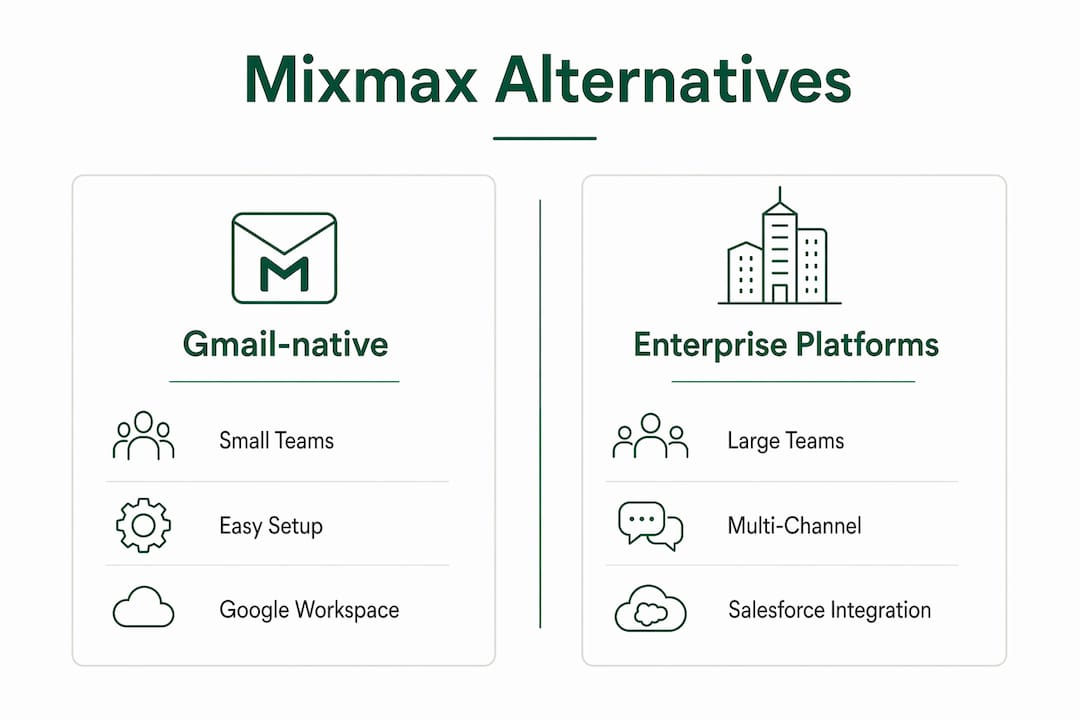
- Gmail-native campaign tools (e.g., GMass, Yesware): Best for inbox-centric reps who live in Google Workspace and need sequences, tracking, and scheduling without switching tabs.
- High-scale outbound platforms (e.g., Outreach, Salesloft): Best for sales ops teams at 50+ reps who need multi-channel orchestration and deep Salesforce integration.
- All-in-one CRM bundles (e.g., Apollo.io, Reply.io): Best for teams that want prospecting data, sequences, and basic CRM in one subscription.
- Multichannel cold outreach tools (e.g., Mailshake, Woodpecker): Best for SDR squads running high-volume cold email with LinkedIn and call steps baked in.
Pro Tip: Before you evaluate any tool, write down your three non-negotiables: CRM integration, sending-domain management, or automation depth. That list cuts a 200-vendor market down to five real candidates.
Teams often outgrow Mixmax not because it breaks, but because their workflow shifts from managing individual emails to coordinating revenue across multiple pipeline stages. When that happens, a one-for-one swap rarely solves the problem.
Table of Contents
- How do the top Mixmax alternatives compare at a glance?
- Which alternative fits your team’s actual workflow?
- How do you choose the right Mixmax replacement?
- Why deliverability is the real reason teams leave Mixmax
- Key Takeaways
- Runleadpilot: full SDR automation without the tool stack
How do the top Mixmax alternatives compare at a glance?
The table below maps each alternative category against the dimensions that actually drive purchase decisions. Pricing shapes matter more than headline numbers, because cheaper base plans can cost more at scale when pricing is per seat or per email.
| Category | Best for / ideal team size | Key features | Integrations | Pricing shape | Free trial / tier | Sending scale | Deliverability support |
|---|---|---|---|---|---|---|---|
| Managed outbound platform | Founders, lean teams (1–20 seats), agencies | ICP detection, AI-personalized sequences, follow-up automation, warm-reply handoff | HubSpot, Salesforce, Google Workspace | Managed monthly plan by buyer volume | Free campaign preview | High (dedicated domains managed for you) | Dedicated sending domains, DKIM/SPF/DMARC, warm-up automated |
| Gmail-native campaign tools | Gmail-centric reps, SMB (1–few seats) | Sequences, open/click tracking, scheduling, templates | Google Workspace native, basic CRM hooks | Per-seat monthly, low entry pricing | Free tier or trial period | Moderate (shared IP, some dedicated options) | Basic SPF/DKIM; warm-up manual or third-party |
| High-scale outbound platforms | Sales ops, enterprise (50+ seats) | Multi-channel cadences, AI coaching, conversation intelligence, pipeline analytics | Salesforce, HubSpot, Microsoft 365, Slack | Per-seat enterprise; custom quotes | Demo-gated trial | Very high (multi-region IPs) | Dedicated IPs, managed reputation, advanced bounce handling |
| All-in-one CRM bundles | Growing SMB teams of moderate size | Prospecting database, sequences, basic CRM, dialer | HubSpot, Salesforce (via Zapier or native), Google Workspace | Per-seat or tiered; free tiers available | Free plan or trial period | High (volume limits by plan tier) | Shared sending infrastructure; some dedicated domain options |
| Multichannel cold outreach tools | SDR squads, agencies (multiple seats) | Email + LinkedIn + call steps, A/B testing, deliverability reports | Salesforce, HubSpot, Pipedrive, Zapier | Per-seat or per-mailbox; entry from ~$29/mo | Free trial | High (mailbox-based scaling) | Dedicated sending domains, warm-up tools, blacklist monitoring |
Entry prices reported across market roundups vary widely and should always be validated against your team size and monthly sending volume before you commit. A plan that looks affordable at five seats can triple in cost at twenty.
Which alternative fits your team’s actual workflow?
Mixmax handles sequences, templates, scheduling, and tracking cleanly, but it does not replace core CRM functions like pipeline ownership, deduplication, or complex routing. That gap is where most teams start shopping. The profiles below map each category to real purchase decisions.
Gmail-native campaign tools: GMass and Yesware
Who it fits: Reps who spend their day in Gmail and want sequences and tracking without leaving their inbox. Teams of one to ten, often without a dedicated sales ops person.

What you get: GMass runs mass personalized campaigns directly from Gmail, with open/click tracking, automatic follow-ups, and Google Sheets mail-merge. Yesware adds email tracking, meeting scheduling, and Salesforce sync on top of Gmail and Outlook. Both are fast to set up, typically under an hour.
Pros: Near-zero learning curve; no new tab required; affordable entry pricing.
Cons: Sending limits tied to Google’s daily caps; deliverability relies on your own domain reputation; limited multi-channel support.
Integrations: Google Workspace native; Yesware adds Salesforce and Outlook. Neither replaces a CRM.
Verdict: If your team primarily uses Gmail and has moderate daily sending volume, these tools cover the basics well. Once you need dedicated sending domains or LinkedIn steps, you will hit a ceiling fast.
High-scale outbound platforms: Outreach and Salesloft
Who it fits: Sales ops teams managing many reps, running multi-channel cadences across email, phone, and LinkedIn, with Salesforce as the system of record.
What you get: Outreach and Salesloft both offer multi-step cadence management, AI-assisted coaching, conversation intelligence, and deep Salesforce bi-directional sync. Salesloft’s acquisition history and enterprise footprint make it a common choice for revenue operations teams that need governance and reporting at scale.

Pros: Best-in-class Salesforce integration; multi-channel orchestration; robust analytics and forecasting.
Cons: Complex setup; enterprise pricing with custom quotes; often overkill for teams under 20 reps.
Integrations: Salesforce, HubSpot, Microsoft 365, Slack, Zoom.
Verdict: These platforms are built for sales ops, not for a founder or a three-person team. If you do not have someone to manage the configuration, the power goes unused.
All-in-one CRM bundles: Apollo.io and Reply.io
Who it fits: Growing SMB teams of moderate size that want prospecting data, sequences, and lightweight CRM in one place, without stitching together three separate subscriptions.
What you get: Apollo.io combines a B2B contact database with sequence automation, a dialer, and basic CRM views. Reply.io focuses on multichannel sequences with an AI assistant for email writing and a built-in contact database. Both offer free tiers that let you test before committing.
Pros: Prospecting data and outreach in one tool; free plans reduce risk; solid HubSpot and Salesforce connectors.
Cons: Database quality varies by industry; free tiers have meaningful sending limits; CRM functionality is basic compared to dedicated CRMs.
Integrations: HubSpot, Salesforce (native or via Zapier), Google Workspace, LinkedIn.
Verdict: Strong value for teams that currently pay separately for a lead database and an email sequencer. Consolidating multiple point tools into one platform often reduces per-seat overhead and the administrative friction of keeping integrations in sync.
Multichannel cold outreach tools: Mailshake and Woodpecker
Who it fits: SDR squads and cold email agencies running extensive outreach with LinkedIn and call steps alongside email.
What you get: Mailshake offers email sequences, LinkedIn automation, phone dialing, and A/B testing in one interface. Woodpecker is built around email deliverability, with per-mailbox pricing, automated warm-up, and blacklist monitoring baked in. Both are popular with agencies managing multiple client campaigns.
Pros: True multichannel sequences; strong deliverability tooling; agency-friendly pricing.
Cons: LinkedIn automation carries platform risk; setup requires domain and mailbox configuration upfront.
Integrations: Salesforce, HubSpot, Pipedrive, Zapier.
Verdict: Woodpecker’s per-mailbox model is particularly useful for agencies that need to scale sending volume without paying per seat. Mailshake suits SDR teams that want phone and LinkedIn steps without adding a separate dialer.
Runleadpilot: the managed, AI-driven alternative
Who it fits: Founders of B2B software or services companies (1–20 employees), lean sales teams, and cold email agencies that want the full SDR workflow handled without hiring or managing infrastructure.
What you get: Runleadpilot reads your website to detect your ideal customer profile, finds and researches matching decision-makers, writes personalized cold emails from real business signals, manages dedicated sending domains and inboxes, runs follow-ups automatically, and routes warm replies to your team. You do not configure sequences or manage domain warm-up. The platform handles it.
Pros: Full SDR workflow from targeting to reply handoff; dedicated sending domains and deliverability managed for you; free campaign preview before you pay; agency-friendly multi-client workspaces.
Cons: Not a self-serve sequencer; designed for teams that want managed outbound, not DIY configuration.
Integrations: HubSpot, Salesforce, Google Workspace; outbound sales automation infrastructure managed internally.
Verdict: For a founder or lean team that has been patching together Mixmax, a lead database, and an email verification tool, Runleadpilot replaces the stack and removes the ops overhead in one move.
Pro Tip: Run Runleadpilot’s free campaign preview before you cancel any existing tool. You will see your ICP, the matched buyers, and sample email copy before spending a dollar, which makes the comparison concrete.
How do you choose the right Mixmax replacement?
There is no one-size-fits-all alternative; the right choice depends on your CRM integration requirements and outreach scale. Work through this checklist before you book a demo.
Prioritized evaluation checklist
- CRM integration: Does the tool sync bi-directionally with your CRM (Salesforce, HubSpot)? One-way syncs create data debt fast.
- Sending-domain management: Does the vendor manage dedicated sending domains and warm-up for you, or do you configure it yourself?
- Deliverability features: Are DKIM, SPF, and DMARC set up automatically? Does the vendor monitor blacklists and bounce rates?
- Automation depth: Can you build multi-step sequences with conditional branches, or only linear follow-up chains?
- Reporting: Does the platform surface reply rates, meeting booked rates, and sequence-level analytics, or only open and click counts?
- Pricing model: Is pricing per seat, per mailbox, or flat team pricing? Model your expected active senders and monthly volume to find the breakpoint where one model becomes cheaper than another.
Questions to ask in every demo
- Can I export all my data (contacts, sequences, analytics) to CSV at any time?
- Do you provide dedicated sending domains, and who manages DNS records?
- What is your average deliverability rate, and how do you measure it?
- What is your support SLA, and do I get a dedicated onboarding contact?
- How long does onboarding take before my first campaign goes live?
Red flags to watch during trials
- Opaque pricing that requires a sales call to get a number.
- Per-email or per-contact limits buried in the fine print.
- No dedicated sending domain option at your plan tier.
- CRM integration that only pushes data one way.
- Warm-up that is manual or requires a third-party add-on.
Audience shortcuts: Founders should prioritize managed deliverability and ICP targeting over feature depth. Lean sales teams should weight CRM sync and automation depth. Sales ops should lead with Salesforce integration fidelity and reporting granularity.
Switching cost is often less about data export and more about rebuilding workflows. Most Mixmax data exports cleanly to CSV; the expensive part is rebuilding automations and team habits. Run any new tool in parallel for two to four weeks before cutting over.
Why deliverability is the real reason teams leave Mixmax
Mixmax sends from your existing Gmail account, which means your personal domain reputation carries all the risk. Scaling email sends without dedicated domains increases the risk that a spam complaint could damage your primary domain’s reputation. That is the most common deliverability reason teams start looking at alternatives.
What deliverability controls actually matter
- Dedicated sending domain: A separate domain (e.g., mail.yourcompany.com) that absorbs reputation risk and keeps your primary domain clean.
- DKIM, SPF, and DMARC: Authentication records that tell receiving servers your emails are legitimate. Missing any one of them increases spam folder placement.
- Warm-up automation: Gradually increasing send volume from a new domain over two to four weeks so inbox providers trust it before you hit full volume.
- Reputation reporting: Real-time visibility into blacklist status, bounce rates, and spam complaint rates so you catch problems before they compound.
- Bounce handling: Automatic suppression of hard bounces to protect sender score.
Teams that scale outreach should verify whether a vendor manages domains and warm-up automatically or leaves it to the customer. The difference between “we support dedicated domains” and “we manage dedicated domains for you” is significant.
How alternative categories differ on deliverability
Gmail-native tools rely on your Google account’s reputation. High-scale enterprise platforms offer dedicated IPs and managed reputation, but configuration is your team’s responsibility. Managed platforms like Runleadpilot handle domain provisioning, DNS setup, warm-up sequencing, and reputation monitoring as part of the service.
Pro Tip: When testing any tool, send 50 emails to a seed list of known-good addresses across Gmail, Outlook, and Yahoo before you launch a real campaign. Check inbox placement, not just delivery rate. A 98% delivery rate with 40% landing in spam is not a win.
Deliverability vendor checklist (run this during your trial)
- Confirm dedicated sending domain is provisioned and DNS records are verified.
- Check that DKIM, SPF, and DMARC are all passing in a mail header analyzer (MXToolbox works for this).
- Verify warm-up is running automatically, not manually.
- Ask for a blacklist report from the vendor’s monitoring tool.
- Send a test batch and check inbox placement across major providers.
- Confirm bounce handling suppresses hard bounces automatically.
For scaling deliverability, the fastest path to predictable inbox placement is a vendor that offers dedicated sending domains plus automated warm-up and reputation reporting. Without that, in-house deliverability ops becomes a part-time job.
How these alternatives were selected
Alternatives were evaluated across six axes: feature depth (automation, templates, scheduling, analytics), CRM integration fidelity (Salesforce, HubSpot, Google Workspace), deliverability support (dedicated domains, warm-up, authentication), pricing shape (per-seat vs flat vs managed), onboarding effort, and quality of support.
Evaluation drew on vendor documentation, third-party review platforms, and published market profiles. The sales engagement and cold email category has over 200 active competitors, which makes category-level evaluation more useful than exhaustive one-by-one comparison.
- What was tested: Feature sets, pricing models, integration documentation, deliverability architecture, and onboarding flows across the categories covered above.
- What was not tested: Custom Salesforce Apex migrations, multi-region IP configurations at enterprise scale, or edge-case CRM deduplication logic.
Scope note: This roundup focuses on alternatives relevant to SMB B2B sales teams and SDR squads in the United States. Enterprise-specific configurations and highly customized deployments may require separate evaluation with vendor solutions engineers.
Key Takeaways
The single most important selection criterion is whether you want to manage outbound infrastructure yourself or have it managed for you. That one decision narrows the field faster than any feature comparison.
| Point | Details |
|---|---|
| Match tool to workflow type | Self-serve sequencers fit ops-heavy teams; managed platforms fit founders and lean teams without SDR headcount. |
| Pricing shape beats headline price | Per-seat pricing can cost significantly more at scale than flat or managed plans; model your actual sender count before committing. |
| Deliverability is non-negotiable | Dedicated sending domains, automated warm-up, and DKIM/SPF/DMARC support should be verified in every trial, not assumed. |
| Consolidation reduces hidden costs | Replacing Mixmax plus adjacent tools (lead database, email verification) with one platform often lowers total monthly spend and ops friction. |
| Runleadpilot for managed outbound | Runleadpilot handles ICP detection, buyer research, personalized sequences, domain management, and warm-reply handoff as a single managed service. |
When a managed platform is the smarter move
The conventional wisdom in sales tech is to pick the best point tool for each job: one sequencer, one data provider, one domain manager. That logic made sense when tools were cheap and integrations were reliable. Neither is consistently true anymore.
The signal that a team should move from a point tool to a managed platform is usually not one big failure. It is the accumulation of small ones: deliverability dips nobody has time to diagnose, sequences that break when a CRM field changes, a new rep who cannot get onboarded because the setup is too complex to document. Tool sprawl is an unseen cost that compounds quietly.
Two scenarios where a managed platform pays off clearly. First, the founder-led go-to-market: a B2B software founder who is also the first salesperson does not have time to configure warm-up sequences, monitor blacklists, and write personalized emails for 200 prospects a week. Runleadpilot’s AI SDR workflow handles that entire layer, so the founder’s time goes to conversations, not configuration. Second, the agency managing multiple clients: running separate tool stacks per client is expensive and error-prone. Runleadpilot’s multi-client workspace consolidates billing and campaign management without mixing client data.
The teams that get the most from managed outbound are not the ones that could not figure out a self-serve tool. They are the ones that did figure it out, ran it for six months, and decided the ops overhead was not where they wanted to spend their energy.
Runleadpilot: full SDR automation without the tool stack
Most of the tools in this comparison ask you to bring your own ICP, your own lead list, and your own domain setup. Runleadpilot starts from your website and handles everything from there.

The platform reads what you sell, identifies your ideal customer profile, finds and researches matching decision-makers, and writes personalized cold emails from real business signals, not generic templates. Dedicated sending domains and inboxes are provisioned and managed for you. Follow-ups run automatically. When a prospect replies with interest, the conversation routes to your team for a human close.
Who it fits: founders of B2B software or services companies, lean sales teams without SDR headcount, and cold email agencies managing outbound for multiple clients. If you are currently paying for Mixmax, a lead database, and an email verification tool separately, Runleadpilot consolidates that into one managed service.
Before you commit, build a free campaign preview to see your ICP, matched buyers, and sample email copy. No credit card required. If the output looks right, you launch. If it does not, you have lost nothing. Check how LeadPilot works or go straight to B2B lead generation to see the full workflow.
Useful sources for deeper reading
- G2: Top Mixmax Alternatives and Competitors — Verified user reviews and feature ratings across Mixmax competitors; useful for checking real-world satisfaction scores before trialing a tool.
- Tracxn: Mixmax Company and Competitor Profile — Market-level data on Mixmax’s competitive set, funding, and category positioning.
- Wysera: The 7 Best Mixmax Alternatives in 2026 — Ranked comparison with consolidation and workflow-shift framing; useful for understanding why teams move beyond point tools.
- RevenueFlow: Best Mixmax Alternatives in 2026 — Integration and deliverability-focused evaluation; good for CRM and sending-domain due diligence.
- GMass Blog: The 5 Best Mixmax Alternatives — Pricing model analysis with per-seat vs flat-rate breakdowns; useful for total cost of ownership modeling.
- Salesloft — Vendor documentation for enterprise cadence management and Salesforce integration specs.
- SaaSHub: Mixmax Alternatives and Competitors — Community-ranked alternative list with open-source and EU-hosted options flagged.